- Halloween
- Black Friday
- Double 11 Shopping Carnival
- Worldpay
- Amazon Payment
- Paypal
- After-sale Service
- Advertisement
Connect Your Lazada Store to CJ Dropshipping


Here is the thing about how to connect your Lazada store to CJ Dropshipping.
1.Log in CJDropshipping and enter your dashboard. Find the Authorization > Lazada > Add Stores
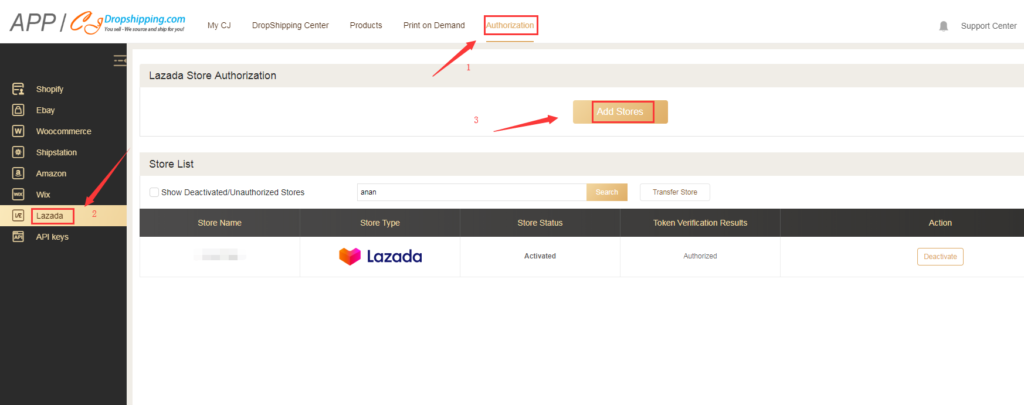
2. Click Add Stores, the authorization page will appear like the following image shows. On this page, you can choose English, Chinese and Vietnamese languages. Then fill in the required information including Country, Email and password. If there is something wrong with your country's information, you can pick Crossborder as the country but this may bring not as smooth service as that of other specific countries.
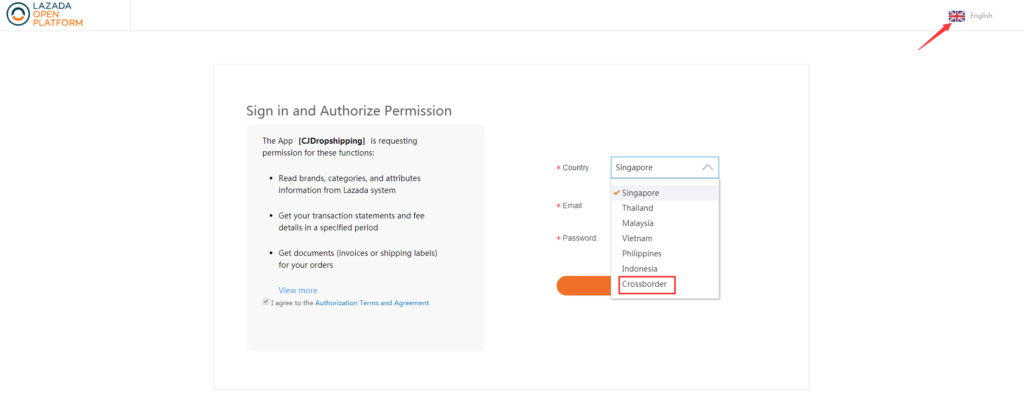
Till now, the necessary steps of Lazada store authorization have finished. However, there are two features that should call your attention because of Lazada's restrictions.
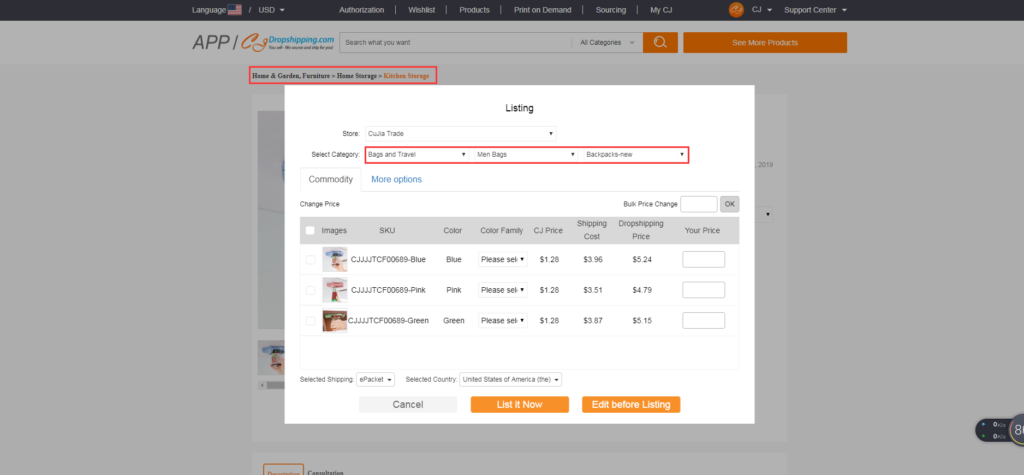
Firstly, when you conduct our List feature which can directly put our product description on your Lazada store, you can put the product you want in different categories it belongs to because some categories are not available which doesn't affect the whole fulfillment of your orders. For example in the image, it doesn't matter that the item classified as Kitchen Storage can be put on Bags and Travel.
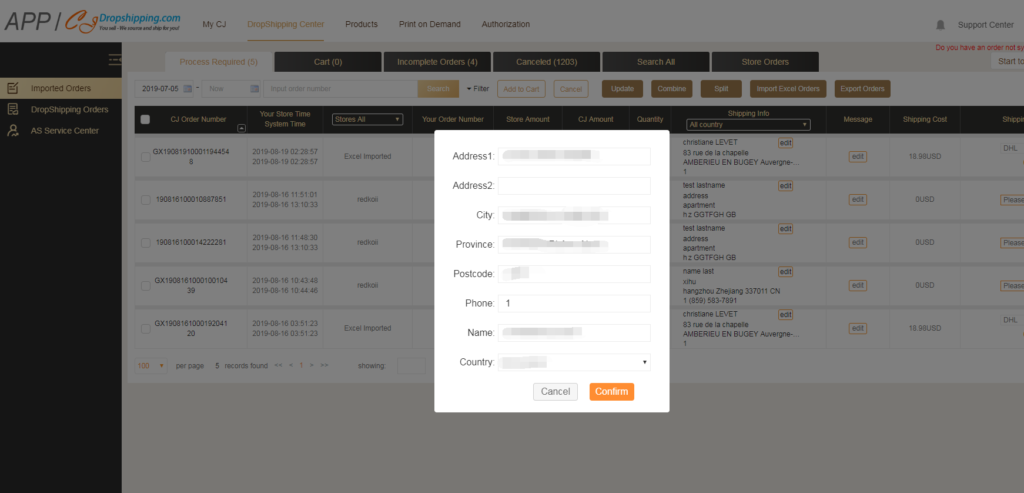
Secondly, in order to protect eventual customers' privacy, the Lazada platform has some restrictions on private information that you, the sellers, need to fill in all the needed information like address, phone, etc. When orders are imported into the CJ system, all information is invisible which means you have to do it manually.
That's all about how to connect your Lazada store with CJ APP. CJDropshipping growing fast, we have finished integration with platforms like Shopify, eBay, Woocommerce and today Lazada and others. Also, we are integrating with other platforms like Shopee. Once we complete those, we will absolutely tell you guys immediately. CJDropshipping always keeps on moving.
- 105
- 3
- 3
- 1